

When working on portraits, the main goal is often to highlight the subject’s natural beauty. Subtle adjustments can bring out the best features without making the image feel artificial. The key here is striking a balance between enhancing the image and maintaining its authenticity. A bit of face editing can go a long way in achieving this balance. In this article, we’ll explore practical advice on how to make natural corrections to portrait photos, focusing on enhancing the face and retaining a real look.
Start With the Skin
One of the first things people notice in a portrait is the skin. To make sure it looks as smooth and natural as possible, small imperfections can be removed. This doesn’t mean erasing every freckle or wrinkle, but rather cleaning up distracting blemishes or uneven tones. The goal is to have the skin look healthy and vibrant without appearing airbrushed.
When adjusting skin in portraits, there are a few important points to keep in mind:
· Don’t Overdo It: It’s easy to get carried away, but a natural look requires subtlety. Keep textures and lines visible to avoid the “plastic” effect.
· Focus on Blemishes and Redness: Pimples, redness, or other temporary marks can be gently toned down. Use tools that allow you to target specific areas rather than applying a blanket correction.
· Maintain Realistic Skin Texture: Skin should still have its natural texture, even after any adjustments. The goal is not to eliminate every imperfection but to make the skin look healthy and glowing.
Using RetouchMe is a great way to keep things realistic while still cleaning up any imperfections. You can easily smooth out the skin or make small corrections without compromising the natural look.

Enhancing the Eyes and Lips
The eyes and lips are often the focal points of a portrait. Naturally, enhancing these areas can make the whole image feel more engaging without over-editing. Here are some tips for natural eye and lip enhancement:
1. Brighten the Eyes: Subtle brightening of the whites of the eyes can give them a fresh, lively appearance. Be careful not to overdo it, as unnatural eye whites can easily detract from the photo’s realism.
2. Tighten the Eyes: If the eyes look a bit tired or droopy, a gentle tightening can make them appear more alert and awake.
3. Enhance the Lips: A small boost to lip color or shape can help define the mouth and make the image more dynamic. Keep it subtle—nothing too bold or heavy.
After making these small adjustments, the subject’s face will look refreshed but not overdone. This approach ensures the expression remains authentic and natural.
Subtle Adjustments to Facial Features
When enhancing facial features, the goal is always to refine them rather than drastically alter them. Subtle changes, such as softening the jawline or adjusting the shape of the nose, can make a big difference without losing the subject’s individuality. Here’s a look at some of the common facial corrections:
· Jawline and Chin: Small tweaks to the jawline or chin can help with symmetry. For example, smoothing out sharp angles or softening a prominent chin can balance the face.
· Nose: A little refinement can sometimes be needed, especially if the nose looks out of proportion. Small adjustments can make a big impact, but the nose should still look natural.
· Eyebrows: Shaping and refining the eyebrows can help frame the face. Be careful to maintain a natural brow shape rather than going too sharp or artificial.
Making these adjustments requires a light touch. The goal is always to highlight the subject’s natural features, not change them completely.
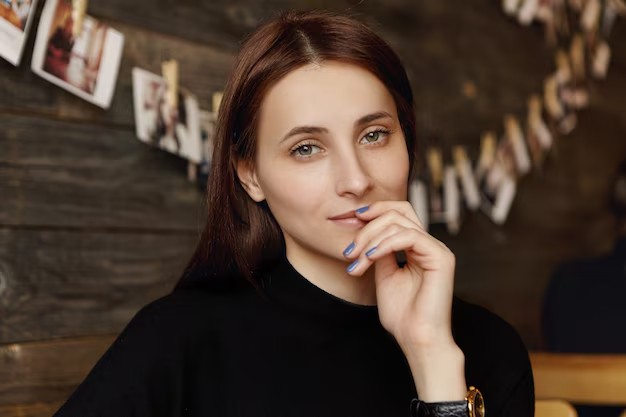
Here’s a quick list of subtle face corrections you can try:
· Jawline Smoothing: Softening sharp angles or adjusting the shape for better symmetry.
· Nose Refining: Minor tweaks to ensure the nose doesn’t appear disproportionate.
· Eyebrow Shaping: Clean up the brows, making sure they enhance the face without overpowering it.
Remember, these small changes can make a big difference, and the key is to maintain the essence of the person in the photo.
Focus on Lighting and Shadows
Lighting plays a major role in how a portrait looks, and sometimes adjusting shadows or highlights can make a significant difference. Here are some ways to work with light in portraits:
· Soften Harsh Shadows: If the lighting causes unflattering shadows on the face, consider softening them to create a more even look.
· Enhance Highlights: Bring out natural highlights, such as the cheekbones or the nose, to add dimension without overexposing any part of the face.
· Balance the Light: Even out the light across the face to ensure no part is too bright or too dark.
The right adjustments to lighting can bring out the natural beauty of a portrait and make it feel more dynamic and real.
Making these small corrections can elevate any portrait. However, it’s important to remember that these adjustments should be done with care. With the right tools, such as RetouchMe, achieving a natural yet polished portrait is easier than ever.
After adjusting skin, facial features, and lighting, the photo should look just like the subject – only enhanced in a subtle and natural way. This approach ensures that you don’t lose any of the person’s unique qualities, but instead, you highlight the things that make them stand out in a beautiful and authentic way.
